
How to Create Halloween Product Videos with AI
Turn product photos into Halloween short ads for TikTok, Reels, and Meta tests — prompts, 6s settings, credits, and a step-by-step Image-to-Video workflow.
Halloween buying research starts early — and social creatives need motion, not another static PDP crop. If you already have product photos (cosmetics, home decor, snacks, candles, apparel), you can ship 6-second Halloween product videos without a studio shoot.
This guide walks the full path: holiday demand → video ideas → generate on Image to Video.
Background: Microsoft Advertising’s 2026 Holiday Shopper analysis notes shoppers research earlier and use AI for gift discovery. Your job is still to test creatives fast — with assets you control.
What you can make this week
Use Halloween as a creative theme on your real SKU, not a generic spooky stock clip:
- Warm pumpkin / amber product showcase — soft orbit, candle-like light
- Moody studio pack shot — dark backdrop, slow push-in on packaging
- Costume / beauty close-up — macro texture, keep logo readable
- Home decor vignette — product in a styled Halloween tabletop still
- UGC-style handheld — lifestyle framing for Reels (visual only — no lip-sync)
All of these start from one JPG/PNG/WEBP. Duration on Reference to Video is locked to 6 seconds; pick 480p (80 credits) while iterating or 720p (160 credits) for finals.
Try your Halloween product video →
Real pipeline example (recreate today)
We publish live demos from the same Grok Imagine I2V pipeline used in production:
| Step | What to use | |------|-------------| | Base still | Your SKU photo (or start from /demos/image-to-video.jpg to learn the flow) | | Demo motion | /demos/image-to-video.mp4 | | Tool | Image to Video | | Settings | Product Showcase · 9:16 · 480p first | | Holiday direction | Paste a prompt from the list below |
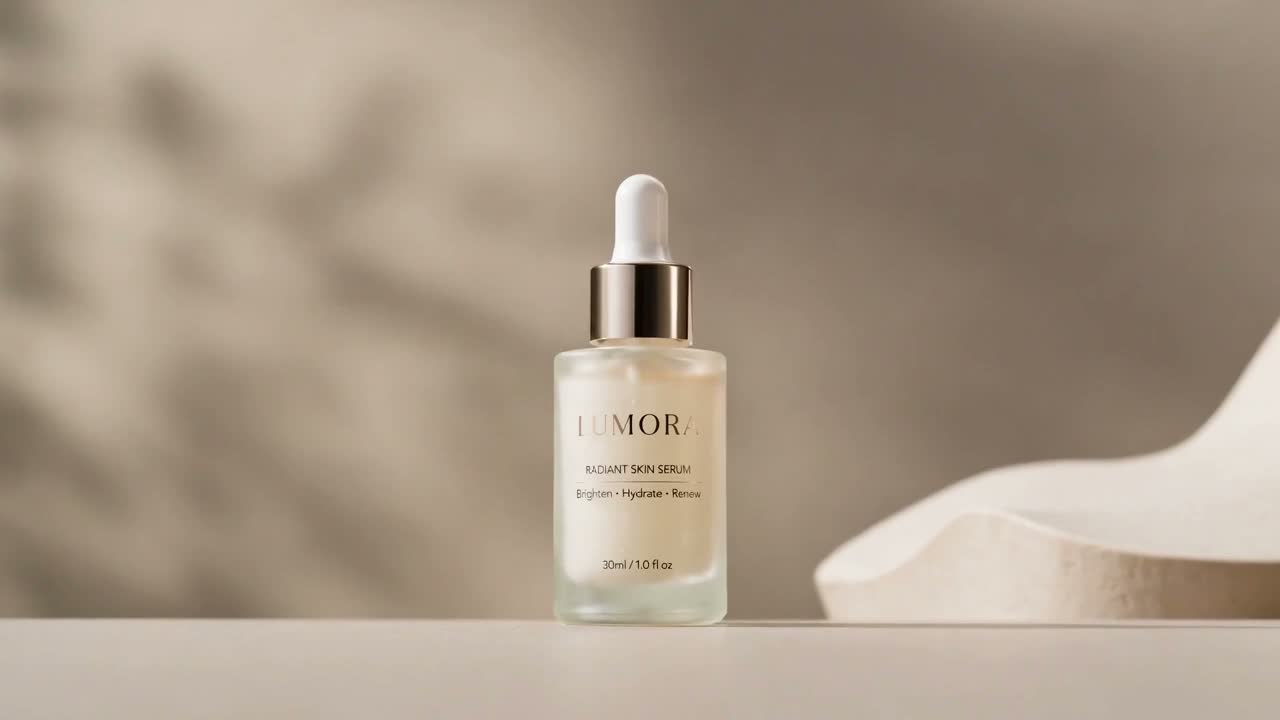
Known limits: logos, fine text, and packaging edges can drift. Always review before paid spend. AI UGC is lifestyle framing — not a talking-head voice studio.
More structured before/after write-ups live on Cases.
Copy-paste Halloween prompts
Keep the Direction field short and visual. The still carries the product; the prompt steers camera and mood.
1. Amber product orbit
Slow orbit around the product on a dark tabletop, warm pumpkin amber key light, soft rim light, keep packaging shape colors and logo as consistent as possible.
2. Dramatic push-in
Cinematic slow push-in toward the product label, moody Halloween studio lighting, clean dark background, sharp product silhouette.
3. Macro materials
Macro close-up of packaging texture and finish, shallow depth of field, slow glide, keep brand mark readable.
4. Gift / set layout
Gentle camera glide across a Halloween gift-ready product set, candle-warm light, premium ecommerce look, preserve each item’s colors.
5. Social UGC energy
Handheld lifestyle product reveal, slight natural camera sway, cozy evening light, keep the product centered and recognizable.
→ Run this on AI UGC when you want social framing.
Prompts are examples only — they do not guarantee pixel-perfect label fidelity.
Step-by-step on Reference to Video
- Prep the still. Center the SKU, avoid heavy JPEG artifacts, keep the logo in frame.
- Open Image to Video.
- Pick a preset — Product Showcase for orbit/tabletop; Close-up for materials; Lifestyle for social context.
- Aspect + resolution — 9:16 for TikTok/Reels, 1:1 for feed, 16:9 for site. Start 480p / 80 credits; switch to 720p / 160 when a hook wins.
- Paste direction — one Halloween line from above.
- Generate → preview → download the MP4. Failed jobs release reserved credits.
- Human QA — check logo, color, and packaging before uploading to ads.
Need tighter camera/pacing control after a winner? Use Reference to Video (120 / 240 credits).
Credits, timing, and what we do not promise
| Item | Current product truth | |------|------------------------| | Duration | 6 seconds (locked) | | I2V / UGC | 80 credits @ 480p · 160 @ 720p | | Reference | 120 @ 480p · 240 @ 720p | | Failures | Reserved credits released | | Voice / lip-sync | Not supported in v1 | | Ad approval | Not guaranteed by Meta/TikTok |
Full pack pricing and validity: Pricing. Refund / credit release rules: Refund Policy.
CTA — ship a Halloween creative today
You already have the photo. Turn it into a short Halloween ad clip and A/B it against your static before the weekend traffic spike.
Try Your Halloween Product Video · See pricing · More Halloween ideas